Download VPN Lightning for Windows directly from the Microsoft Store. With just a few clicks, you get powerful privacy, blazing speeds, and complete security for your PC. No tech skills needed. One app. One click. One secure connection.
30-Day Money-Back Guarantee
Simple to Install. Easy to Use.
The VPN Lightning Windows app is built for everyone. From casual web users to serious streamers, the installation process is fast and frustration-free. There’s no need to dig through settings, change network options, or deal with confusing instructions. Just open the Microsoft Store, install the app, log in, and connect.
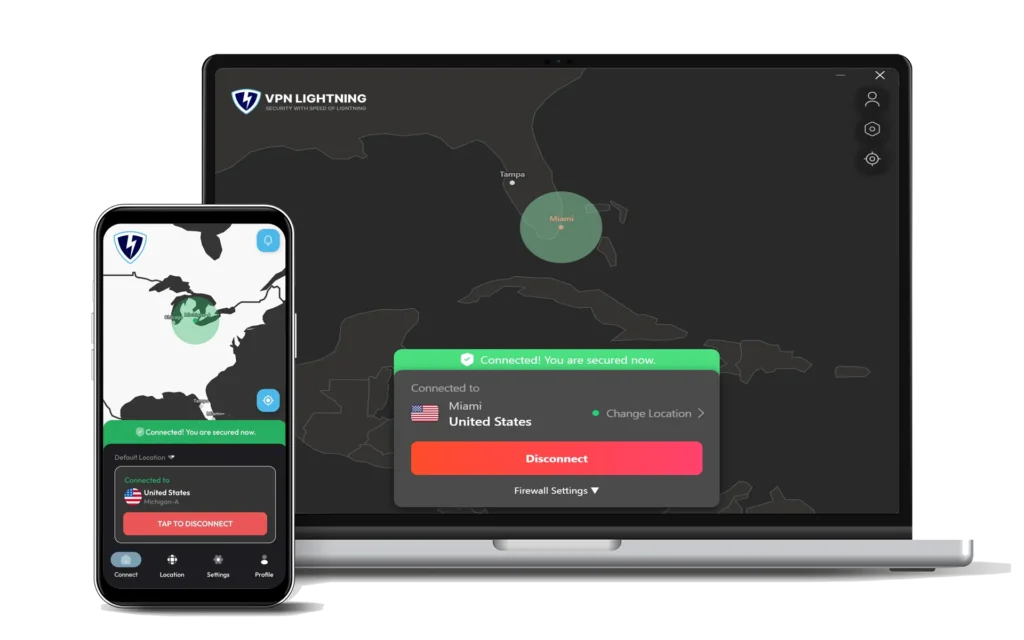
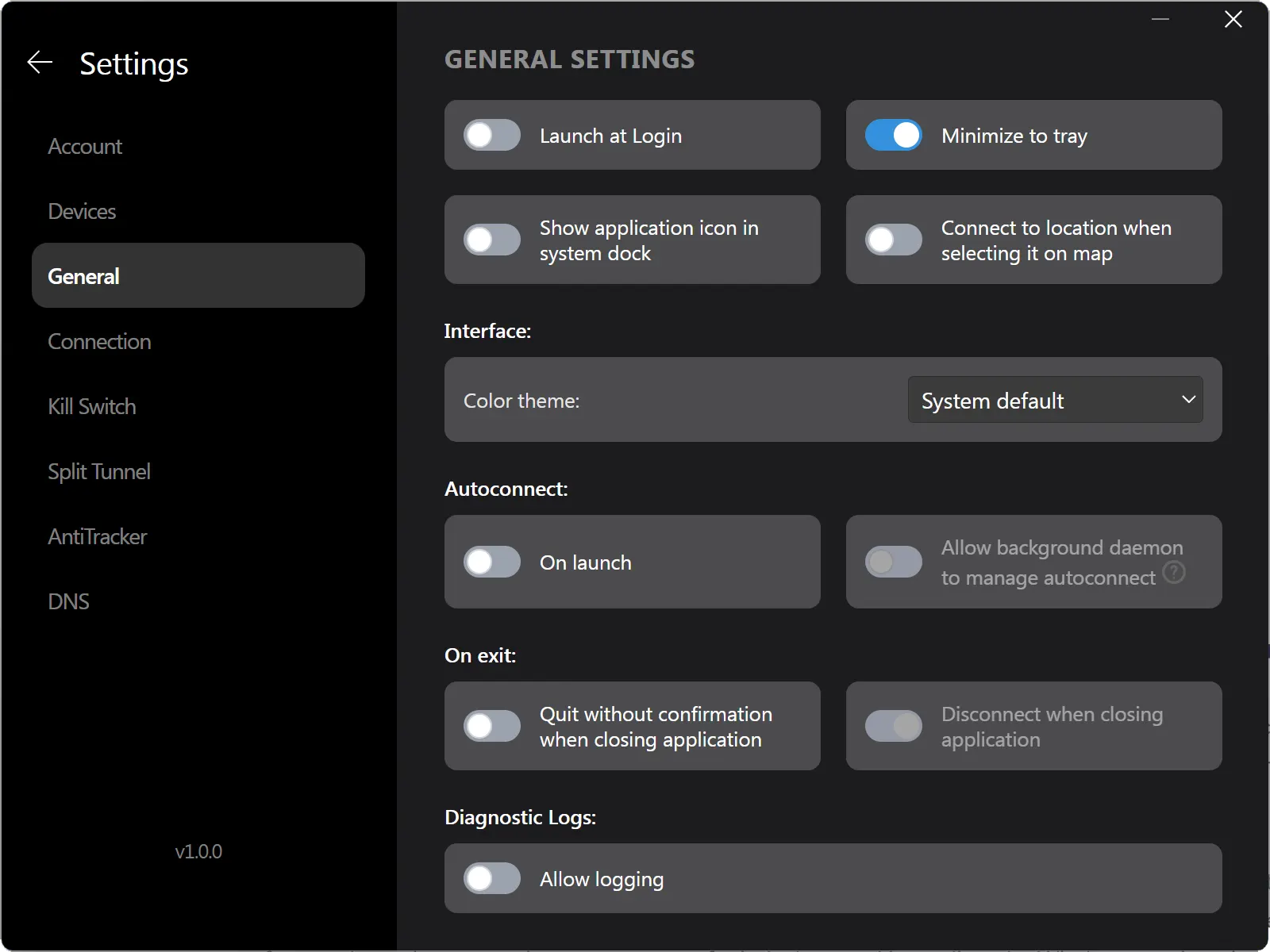
Once launched, the clean and modern interface puts you in control. Select your preferred server location, connect instantly, and enjoy complete privacy. You’ll see your connection status in real time, and you can easily enable advanced features like kill switch, auto-connect, and more with just a few clicks.
Every Device
1500+ Servers
Lightning-Fast
Easy Use
Built for Speed and Privacy
VPN Lightning is designed to protect your Windows PC without slowing you down. Whether you’re gaming, video calling, or working remotely, your internet connection stays fast, stable, and private. All your activity is encrypted with industry-leading security protocols, making it unreadable to hackers, ISPs, and surveillance tools.
Unlike many VPNs that log or throttle your activity, VPN Lightning follows a strict no-logs policy. That means your browsing history, downloads, and personal information are never stored or tracked. You stay completely anonymous, with total control over your data.
One-Click Protection No complicated settings or configurations. Just open the app, choose a location, and click Connect. You’re instantly secure.
No-Logs Policy VPN Lightning never tracks or stores your activity. Your information stays private, and your browsing history is never recorded or shared.
Military-Grade Encryption Your connection is locked down with powerful encryption that protects your activity from threats and third parties every time you go online.
Fast Global Servers Access ultra-fast servers in 50+ countries to stream, game, browse, or download with smooth, stable speeds every time.
30-Day Money-Back Guarantee
Full Features. One App.
The Windows app is fully featured and includes every benefit VPN Lightning offers on other devices. You don’t need to upgrade, unlock premium tiers, or install extra software. Everything is included, and everything works out of the box.
You get full-speed access to all servers, powerful encryption, and more. It’s the same app used by privacy-conscious users, remote workers, and travelers across the globe. Whether you need protection for your browsing, or you just want peace of mind when working online, the Windows version gives you the same great protection VPN Lightning is known for.
Simple One-Click Connect
Auto Server Selection
AES-256 Encryption
Easy to Use App
Windows Microsoft Store
VPN Lightning for Windows is officially available through the Microsoft Store. That means no sketchy downloads, no shady links, and no security risks. You download and install directly from Microsoft, ensuring you get the latest version and automatic updates with every release.
It works with Windows 10 and Windows 11, and the app is fully optimized for both desktops and laptops. You’ll get the same strong encryption and blazing speeds with native system compatibility and no manual setup needed.
It’s the easiest way to get started with no extra steps and no third-party installers. Just download, connect, and stay protected.
30-Day Money-Back Guarantee
Fast, Secure, Always Connected
VPN Lightning brings the same reliable and fast performance to all your devices. With access to 1500 servers across 62 global data centers, you are guaranteed a consistent and private connection wherever you are. The service includes unlimited data use, giving you the freedom to stream, browse, and download without limits.
Every session is shielded with top-tier encryption and backed by a strict no-logs policy to make sure your activity stays private. VPN Lightning runs in the background with minimal impact, providing security and stability from the moment you connect until you go offline.
VPN Lightning blends powerful protection, ease of use, and speed into a single lightweight app. Whether it’s a phone, tablet, or desktop, you’ll enjoy dependable coverage across your entire setup using just one plan. Secure your digital lifestyle and access the web freely from anywhere with full confidence.
Money-Back Guarantee
We believe you’ll love using VPN Lightning, but if it does not meet your needs, our 30-Day Money-Back Guarantee gives full peace of mind. Test VPN Lightning without commitment. If it is not the fastest, easiest, and most secure VPN you’ve tried, just reach out within 30 days and we’ll return your full payment. No hassle, no delay.
Your satisfaction is important to us. With VPN Lightning, you choose a platform built to guard your information, prioritize your privacy, and keep your internet connection safe and secure every time you log in.
Subscribe to VPN Lightning’s Weekly Newsletter and easily stay up-to-date on the latest & most important VPN News. Delivered Right to Your Inbox.
Windows App
Frequently Asked Questions
How do I install VPN Lightning on Windows?
You can install VPN Lightning directly from the Windows Store. Just search “VPN Lightning” in the store, click Install, and launch the app. No setup files, no complicated steps. Your VPN is ready in seconds.
Do I need a VPN Lightning account to use the app?
Yes. You need an active VPN Lightning subscription to log in and activate protection. If you do not have an account yet, you can sign up during setup or through the VPN Lightning website.
What versions of Windows are supported?
VPN Lightning works on Windows 10 and Windows 11. It is fully optimized for performance and stability on both platforms and receives regular updates through the Windows Store.
Will the VPN slow down my connection?
No. VPN Lightning is designed to deliver fast and secure connections with minimal speed loss. With high-speed servers in 62 data centers, most users notice no drop in performance while browsing, streaming, or gaming.
Is the Windows app easy to use for beginners?
Yes. The interface is clean, simple, and made for anyone to use. With one click, you can connect to the best server or choose from global options. It also starts automatically and protects your connection in the background.
Can I use the VPN on more than one device?
Absolutely. VPN Lightning supports all your devices under one account. You can protect your Windows PC, phone, tablet, smart TV, and even your home router without buying extra licenses.
How do I get support if I have an issue?
Our support team is available 24/7. If you run into a problem, contact us through the app or visit our support center online. We offer fast help through live chat and email.
Every Device. Every Login. Every Action. Stay Protected.
VPN Lightning does more than just basic protection. It delivers a full platform for privacy, and power. Use lightning-fast servers and custom dedicated IPs with a no-logs policy for ultimate protection. Simple to use, highly secure, and always ready to keep your activity private.