IP addresses reveal important details about your online identity, including location and the network being used. The VPN Lightning IP Checker helps you see what websites and services can learn about you.
Your IP address is one of the most important pieces of information tied to your online identity. It works like a digital tag that follows you as you browse the web. Websites, apps, advertisers, and even public networks can use your IP to learn things about you. This can include your city, your country, your internet provider, and the type of device you are using.
The VPN Lightning IP Checker shows this information in real time so you can see exactly what is visible to others. This helps you understand what you share each time you go online and why keeping your IP private is a key part of staying safe.
Your IP can also influence what content you see, what prices you receive, and whether certain sites block or limit your access. By seeing your IP clearly, you know how you appear to the internet and can take steps to stay private and secure.
How VPN Lightning Protects You
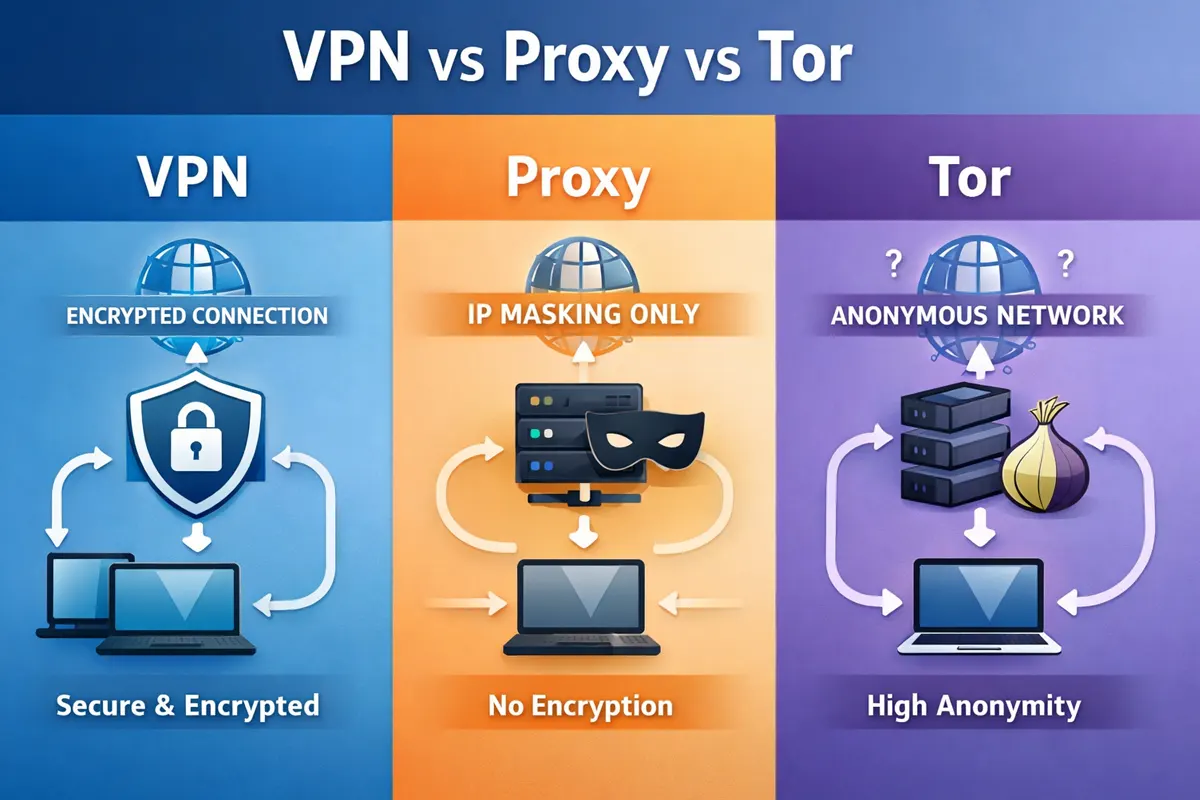
When you activate VPN Lightning, your real IP address is instantly hidden and replaced with a private IP from our secure network. This keeps websites, apps, and trackers from seeing where you are or identifying your device. Your online identity stays protected, and your browsing becomes harder for anyone to follow.
VPN Lightning also shields your data with strong encryption. Everything you send or receive is locked inside a secure connection, stopping hackers, snoopers, or public Wi-Fi threats from seeing what you do online. This protects your personal information, keeps your activity private, and gives you a safer internet experience everywhere you connect.
Stay Hidden
Your true IP address is never exposed. Websites only see your secure VPN IP, keeping your location, device details, and identity private at all times.
Fully Encrypted
Every action you take online is protected by strong encryption. This blocks hackers, snoopers, and unsafe Wi-Fi threats from viewing your sensitive information.
No Tracking
Trackers and advertisers cannot follow you across the web because your real IP address is replaced with one of VPN Lightning’s.
When you activate VPN Lightning, your real IP address is instantly hidden and replaced with a private IP from our secure network. This keeps websites, apps, and trackers from seeing where you are or identifying your device. Your online identity stays protected, and your browsing becomes harder for anyone to follow.
VPN Lightning also shields your data with strong encryption. Everything you send or receive is locked inside a secure connection, stopping hackers, snoopers, or public Wi-Fi threats from seeing what you do online. This protects your personal information, keeps your activity private, and gives you a safer internet experience everywhere you connect.
Why Checking Your IP Matters
Knowing your IP address is one of the simplest ways to understand how much information you share online. Your IP can reveal your general location, your internet provider, and the type of connection you are using. Websites, apps, advertisers, and trackers rely on your IP to follow your activity and build a profile about you.
Using VPN Lightning gives you control over what the internet sees. By replacing your real IP with a secure VPN Lightning IP, you reduce the amount of personal information exposed every time you open a page, load an app, or connect to public Wi-Fi. Checking your IP helps you confirm that your real location is protected and that your privacy tools are working correctly.
Confirms Privacy: An IP check helps confirm that your real location is fully hidden and secure. It shows that the VPN is working correctly and is keeping you private so no one can track your activity or view what you do online.
Shows What Others See: The IP checker tool reveals what websites and services can identify about you. It allows you to understand what data is visible without protection and helps you see how much safer you are with an IP that stays private.
Detects Connection Issues: An IP check helps you find VPN setup or connection problems fast. If the IP does not change when connected, it alerts you to adjust your settings so your privacy stays strong and data remains protected.
Ensures Regional Access: Checking an IP helps ensure that regional content rules do not restrict access. It verifies that the chosen VPN server is applied correctly and enables you to view sites apps and services as intended.
Money-Back Guarantee
We are certain you’ll enjoy the experience of using VPN Lightning, but if it does not fully match what you hoped for, our 30-Day Money-Back Guarantee keeps you protected and stress-free.
Use VPN Lightning with total confidence and explore its strong speed, privacy, and security. If you feel it is not the right fit, reach out to our team within 30 days for a quick refund. No pressure, no delay. Your privacy stays protected, and your satisfaction remains our focus.
Subscribe to VPN Lightning’s Weekly Newsletter and easily stay up-to-date on the latest & most important VPN News. Delivered Right to Your Inbox.
IP CHECKER TOOL
Frequently Asked Questions
What does my IP address show?
Your IP address shows your general location, your internet provider, and how your device connects online. Websites and apps use this information to track activity and shape what you can access.
Why should I check my IP address?
Checking your IP helps you see what information is visible when you browse. It also confirms whether your VPN is working and hiding your real location.
Can someone track me through my IP address?
Yes. Advertisers, websites, and trackers can use your IP to follow your browsing habits. A VPN hides your real IP to stop this kind of tracking.
Why does my IP change when I use a VPN?
A VPN replaces your real IP with a private one from its network. This keeps your identity hidden and protects your privacy while you browse, stream, or use public WiFi.
Why is my IP not changing when connected to a VPN?
This may mean your VPN is not connected properly. Try reconnecting to a server or checking your app settings. The IP Checker Tool helps you verify this quickly.
Can my IP address affect what websites I can visit?
Yes. Some sites limit access based on location. Your IP determines what content you can view. A VPN helps you bypass these limits by giving you a different IP.
Does VPN Lightning store or log my IP address?
No. VPN Lightning follows a strict no-logs policy. We do not track, store, or record your online activity or IP address at any time.
Every Site. Every Login. Every Connection. Stay Safe.
VPN Lightning provides all the tools needed for safe, private, and high-speed internet use. Enjoy fast worldwide connections, flexible dedicated IP features, and strong encrypted protection, all backed by a strong no-logs commitment.